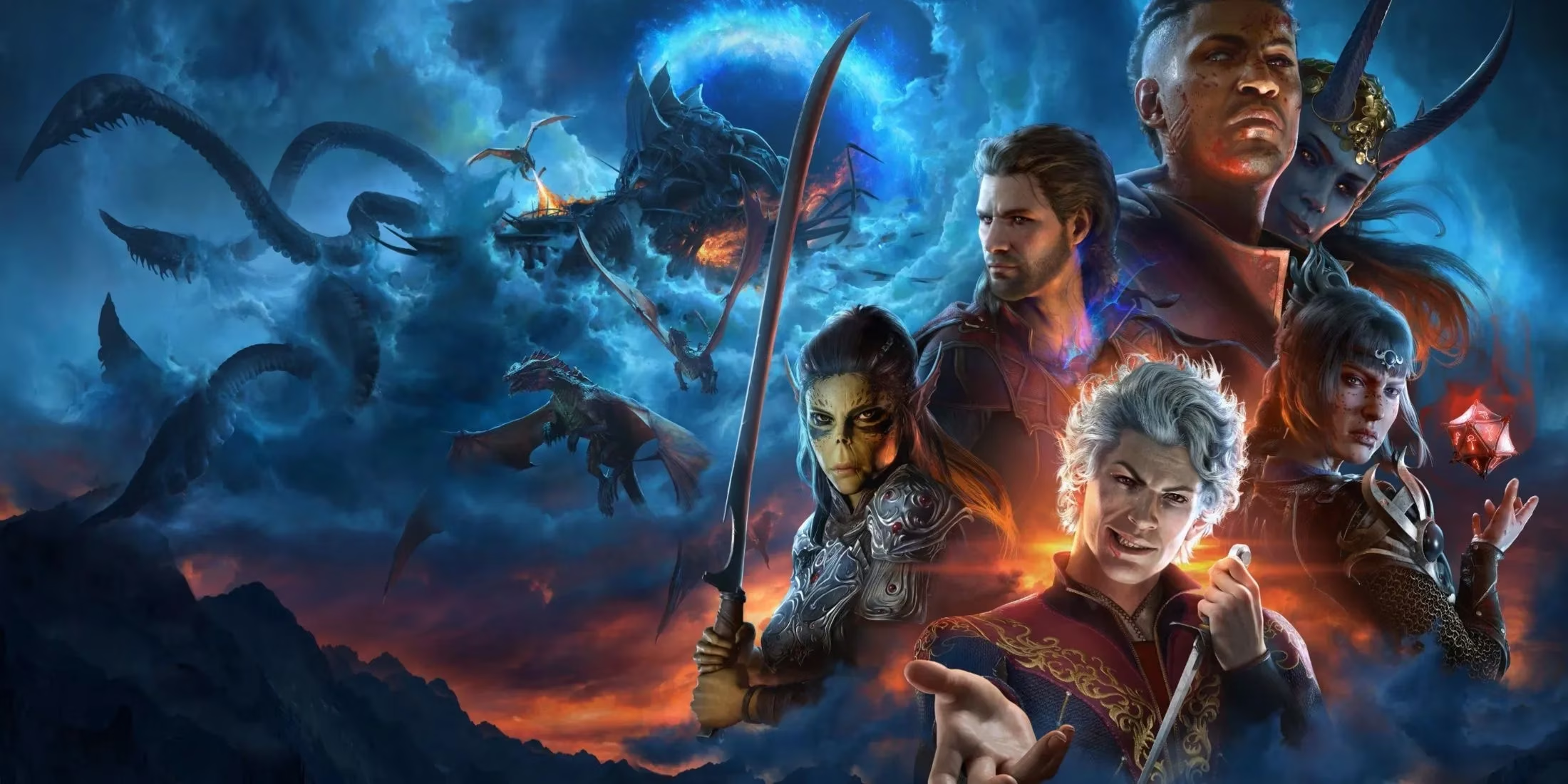
Even two years after its release, Baldur's Gate 3 keeps pulling adventurers back into Faerûn, and one enormous reason is the creativity unleashed by its modding community. By 2026, the in‑game mod manager has become the easiest way for players to twist the game into something entirely their own—welcome to a world where installing a new hairstyle, a game‑changing subclass, or even an extra party member is just a few clicks away.
No more digging through external mod loaders, no more tweaking script extenders. Larian Studios’ decision to build a fully integrated mod manager and toolkit has made modding almost as simple as ordering a round of drinks at the Elfsong Tavern. Let's see how it works for someone diving in for the very first time.
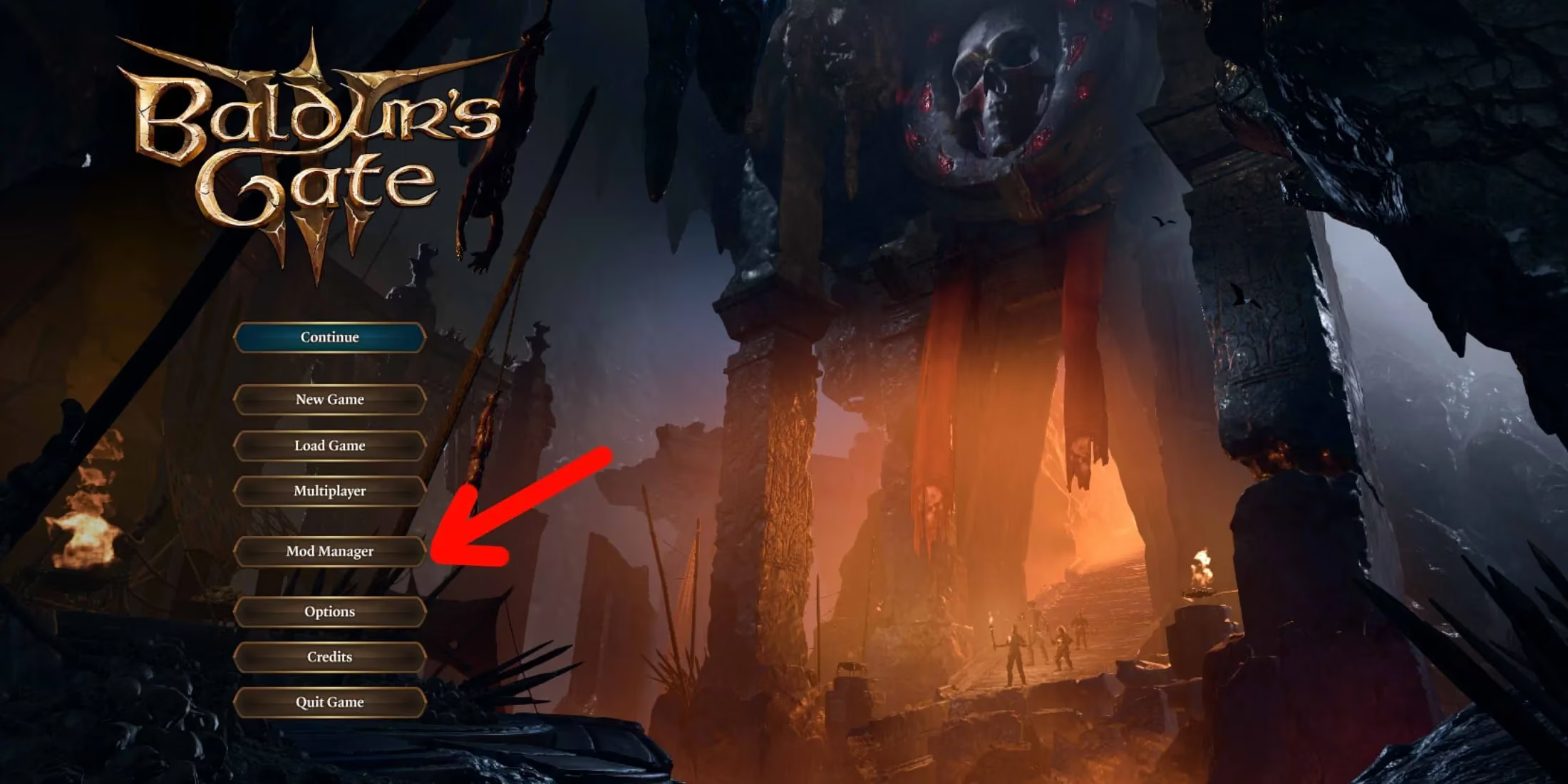
When you launch Baldur's Gate 3, the main menu greets you with a familiar sight—a button labeled Mod Manager. Click it. That one click opens the door to thousands of community creations. The interface is clean and welcoming, designed so that even a player who only ever used official patches can feel at home.
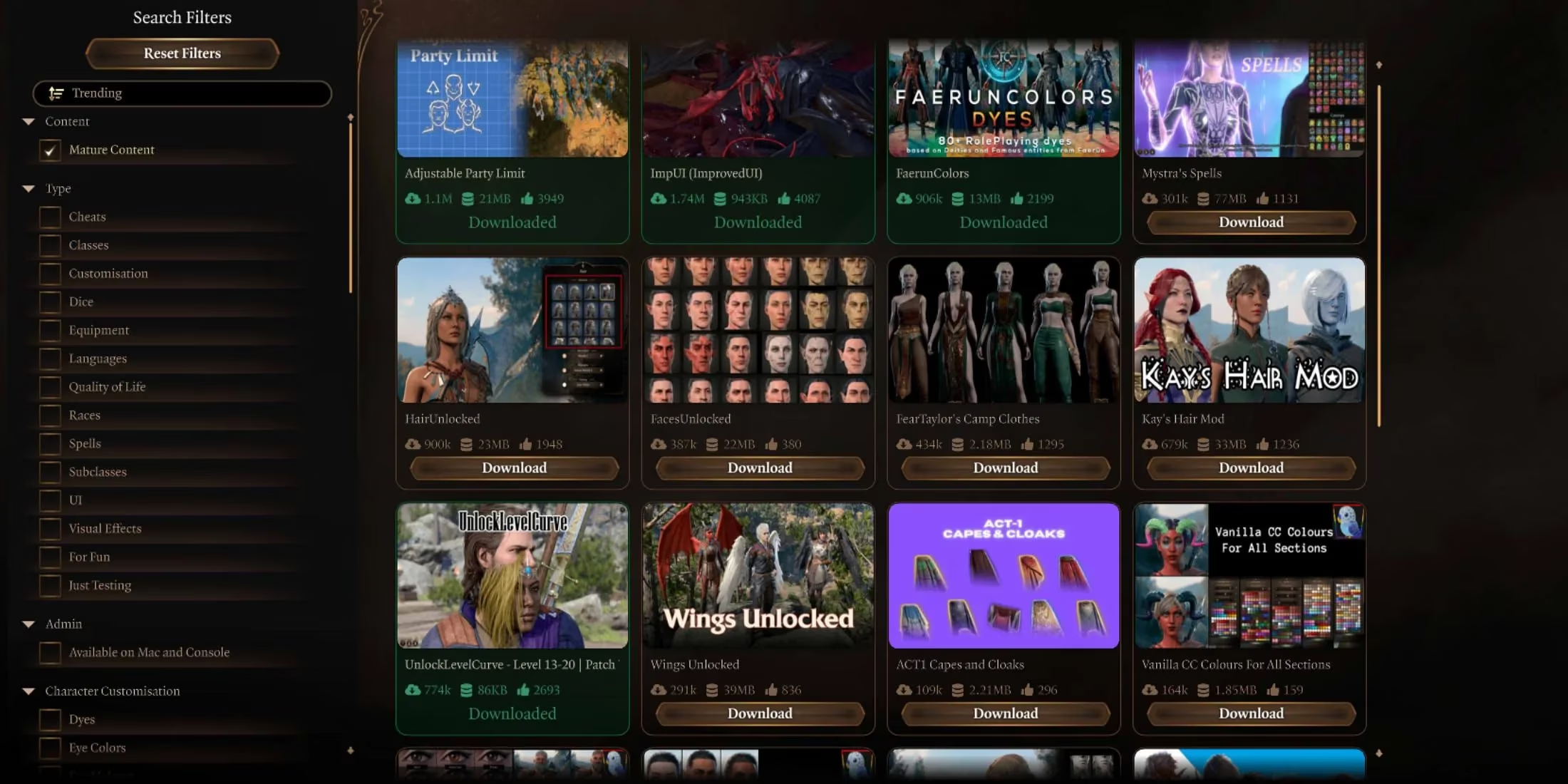
On the next screen, the player is presented with a gallery of mods. It’s a bit like walking through a marketplace in the Gate, except every stall has a free sample. The left side of the screen provides a handy search bar and a category filter. Want only new faces and tattoos for your Tav? Tick the Cosmetics box. Eager to try a mind‑bending new Illithid race or a homebrew class like the Blood Hunter? The Classes & Races section has exploded with options by 2026. Fancy doubling your party size for that epic six‑versus‑goblin‑camp battle? The Game Mechanics category holds the key.
Browsing is addictive. One minute a player is looking for a simple dye pack, and the next they’re downloading a full spell mod that adds 50 new cantrips. The beauty of the in‑game manager is that every mod thumbnail gives a quick preview, so there’s no mystery meat.
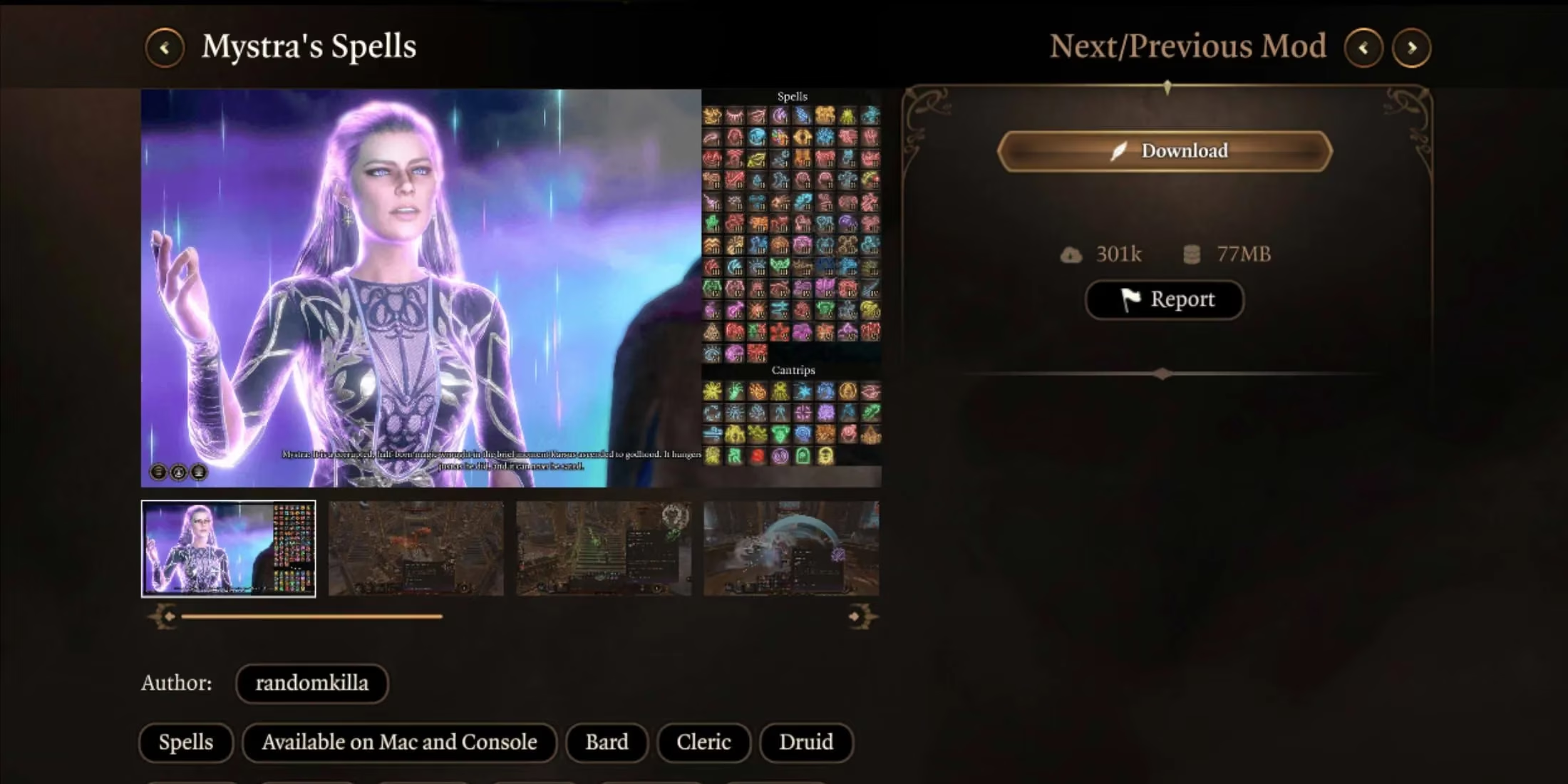
When a mod catches the eye, clicking on it brings up a detailed view. This is where things get reassuringly transparent. The mod page shows a full description of what the mod does, any known compatibility notes, and—most importantly—screen‑shots of the mod in action. By 2026, mod authors have gotten meticulous with these previews, often including side‑by‑side comparisons or video clips. The player can see exactly how that new leather armor set looks under candlelight before ever committing. To install, simply hit the Download button. The game handles the rest; no need to worry about file paths or load orders.
After a short wait, the mod appears in a personal library. To check on everything that’s been grabbed, switch to the Installed tab at the top of the mod menu. Here sits a neatly organized list of every downloaded creation. Each entry comes with two essential controls: a toggle switch to activate or deactivate the mod before launching a session, and an Update button that lights up whenever the author pushes a fix or adds new content. It’s the kind of convenience that makes maintaining a heavily modded game feel like tidying a desk, not defusing a spell bomb.
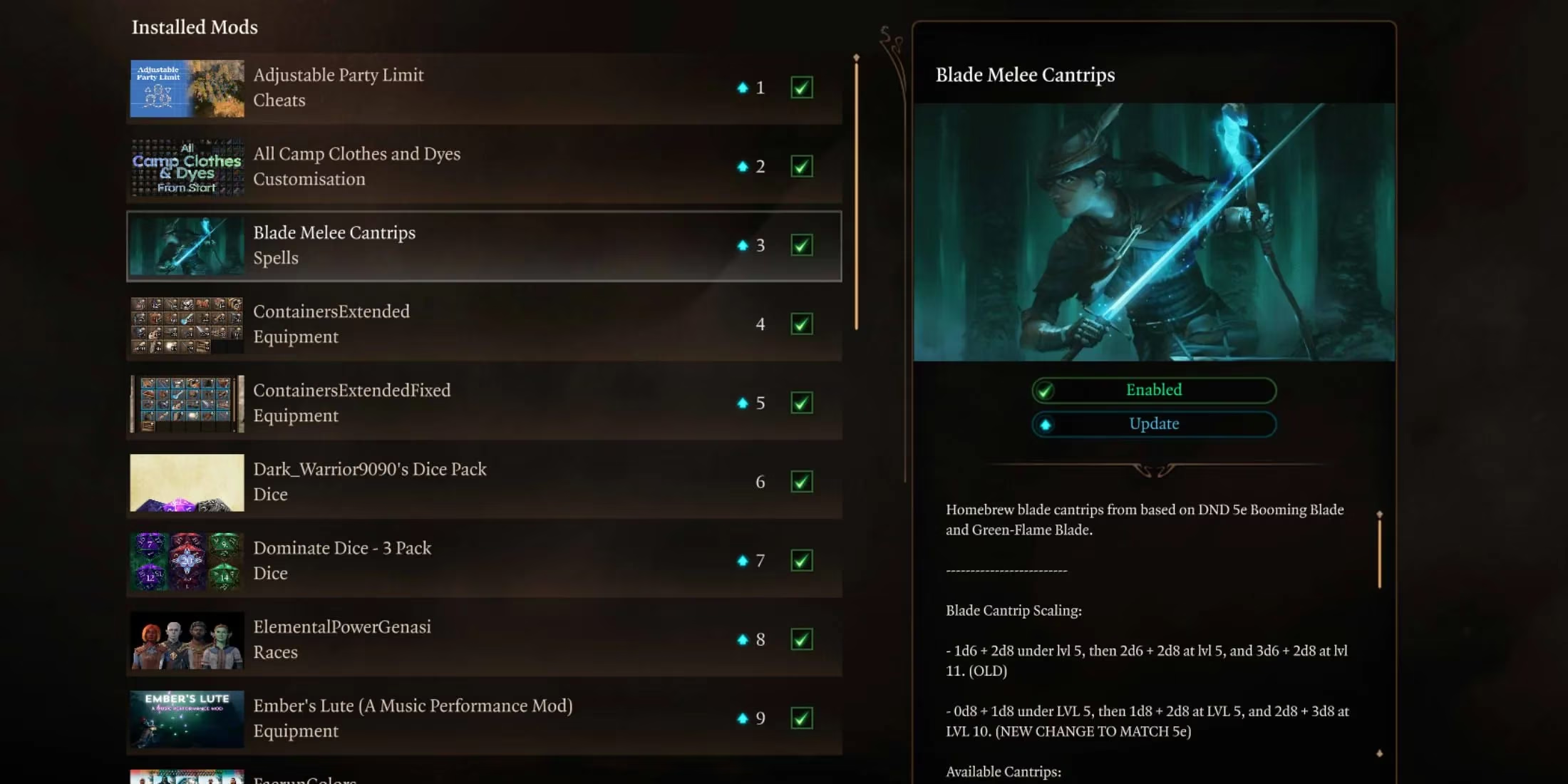
Toggling mods is where the system truly shines for players who juggle multiple play‑throughs. Imagine launching a dark, gritty campaign with enhanced AI and survival mods, then hopping back to a colourful co‑op run with nothing but cosmetic additions and bonus dance emotes—all without touching a single external tool. The game simply asks whether to load a save with the current mod configuration, and off it goes.
What categories of mods are must‑sees in 2026? The in‑game manager covers a wide spectrum:
-
Cosmetics & Customisation 🎨 — Hairstyles, faces, horns, tattoos, and dye colours that let every Tav feel truly unique.
-
Classes & Subclasses ⚔️ — From returning classics like the Artificer and Mystic to completely original homebrew, choices are nearly endless.
-
Races 🧝♀️ — Play as a goblin, a half‑dragon, or a towering firbolg; mods rewrite the racial options.
-
Spells & Feats ✨ — New cantrips, custom spell animations, and feats that alter how combat flows.
-
Game Mechanics & Tweaks 🔧 — Party limit adjustments, difficulty modifiers, UI overhauls, and even cheat‑style shortcuts for players who just want to explore.
Larian Studios continues to support the mod ecosystem with regular toolkit updates, and the community has responded by filling the manager with over twenty thousand mods by late 2025. The built‑in system also means console players can finally dip their toes into modding—a huge leap from the old days when modifications were a purely PC affair.
For anyone still on the fence, the in‑game mod manager removes the biggest barrier of all: fear of breaking the game. Because the mods are curated through Larian’s pipeline, they pass a basic stability check. The player can experiment freely, safe in the knowledge that switching a mod off is as easy as flipping a toggle. If something ever acts unexpectedly, a clean save is always just a click away.
Baldur's Gate 3 in 2026 feels like a living, breathing tabletop campaign that never ends, precisely because the mod manager invites everyone to be a dungeon master. Whether you’re adding a single tattoo or rebuilding the entire combat system, the tools are right there on the main menu, ready when inspiration strikes. Give it a try—your Tav will thank you.
Comments